AstroPop - Bubble Shooter1.0.7
Publisher Description

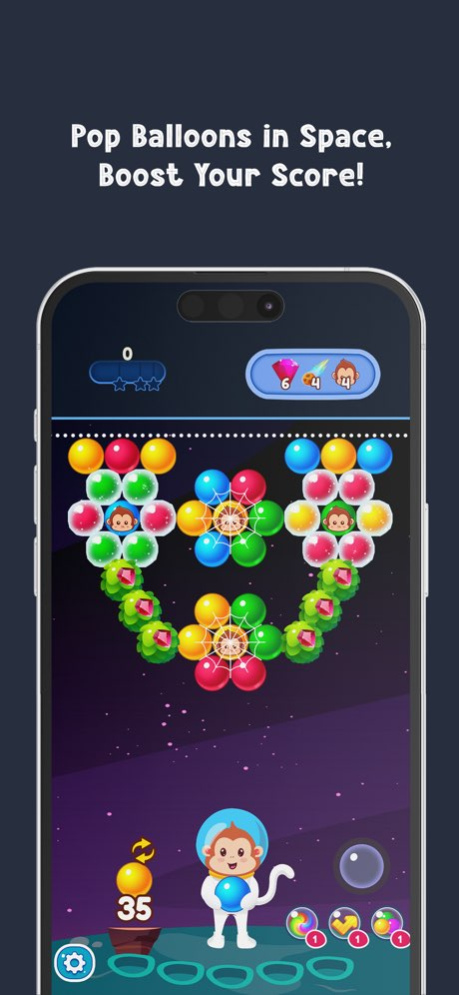


Welcome to the thrilling bubble-popping adventure! Once you pop, you can’t stop! Get ready for endless fun in the colorful world of AstroPop - Bubble Shooter.
AstroPop offers thousands of challenging bubble shooter levels waiting for you to explore. And best of all, it’s free to play!
Show off your skills! Tap to switch, aim, and release! Powerful boosters and mesmerizing maps take you on a bubble-popping dream adventure.
Can you pop all the bubbles and become the hero of the adventure?
FEATURES
Highly Addictive! Easy to play, just tap and aim! Break through the bubble walls and enjoy endless shots! Every win in this game brings a true sense of victory.
Relaxing Gameplay Enjoy soft graphics, impressive popping sounds, and 3D effects with AstroPop - Bubble Shooter, for a complete relaxation experience.
HOW TO PLAY
The rules are simple: hold to aim and release to shoot. It’s easy to play, but mastering it requires strategic thinking and wise use of boosters.
Pop bubbles alongside astro heroes as you journey to the stars and explore new worlds!
A big thanks to all our players and supporters!
Version History Bugs fixed. 1.0.7 07/30/2025 Bugs fixed. 1.0.6 07/29/2025 Bugs fixed. 1.0.5 07/27/2025 Bugs fixed. 1.0.4 07/26/2025 Bugs fixed. 1.0.3 07/20/2025 Bugs fixed. 1.0.2 12/12/2024 Fixed a bug causing issues with levels on the map screen. 1.0.1 11/13/2024 1.0.0 10/30/2024
About AstroPop - Bubble Shooter
The company that develops AstroPop - Bubble Shooter is GECEN TEKNOLOJI YAZILIM BILISIM SANAYI VE TICARET LIMITED SIRKETI. The latest version released by its developer is 1.0.7.
To install AstroPop - Bubble Shooter on your iOS device, just click the green Continue To App button above to start the installation process. The app is listed on our website since 2026-10-07 and was downloaded 0 times. We have already checked if the download link is safe, however for your own protection we recommend that you scan the downloaded app with your antivirus. Your antivirus may detect the AstroPop - Bubble Shooter as malware if the download link is broken.
How to install AstroPop - Bubble Shooter on your iOS device:
- Click on the Continue To App button on our website. This will redirect you to the App Store.
- Once the AstroPop - Bubble Shooter is shown in the iTunes listing of your iOS device, you can start its download and installation. Tap on the GET button to the right of the app to start downloading it.
- If you are not logged-in the iOS appstore app, you'll be prompted for your your Apple ID and/or password.
- After AstroPop - Bubble Shooter is downloaded, you'll see an INSTALL button to the right. Tap on it to start the actual installation of the iOS app.
- Once installation is finished you can tap on the OPEN button to start it. Its icon will also be added to your device home screen.
Program Details
General
System requirements
Download information
Pricing
Version History
version 1.0.7
posted on 2026-10-07
Version History Bugs fixed. 1.0.7 07/30/2025 Bugs fixed. 1.0.6 07/29/2025 Bugs fixed. 1.0.5 07/27/2025 Bugs fixed. 1.0.4 07/26/2025 Bugs fixed. 1.0.3 07/20/2025 Bugs fixed. 1.0.2 12/12/2024 Fixed a bug causing issues with levels on the map screen. 1.0.1 11/13/2024 1.0.0 10/30/2024
version 1.0.7
posted on 2025-07-30
Bugs fixed.
